Well, I was bored so I went to answer my own question. I found some old threads with dead pictures, so I figured I'd start a new write-up with my own pictures to help out people in 2020+ lol
Thankfully the JDM Silvia fog light button is plug and play for the 240SX factory fog light circuit
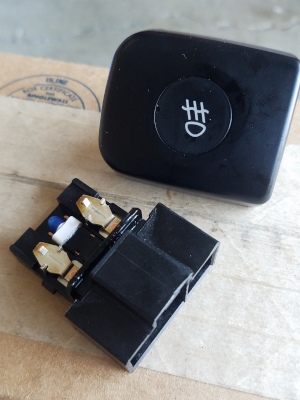
On the button, the #1 and #3 pairs of pins are the switch
The middle pins (#2) are to power the button's light:
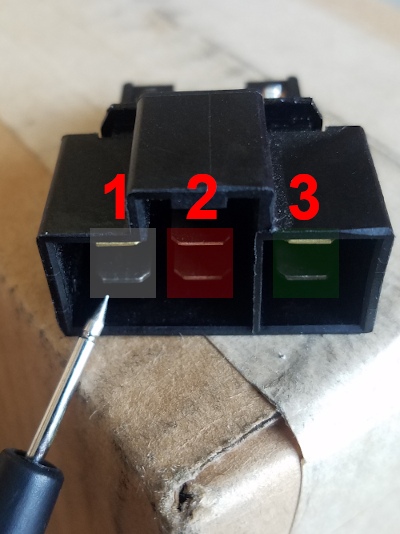
Under the dash, you'll find a black connector with a dust cover, tied up and tucked away:
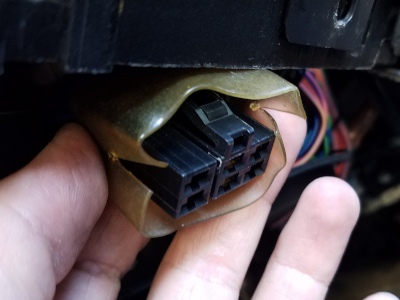
Pull it through the cluster bezel and connect the button
Then you'll head to the relay box behind the driver side headlight, by the airbox:
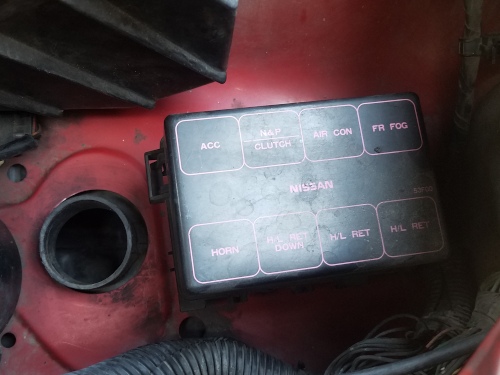
You'll need to add a blue relay (PO# 25230-C9980) to the empty space [FR FOG]:
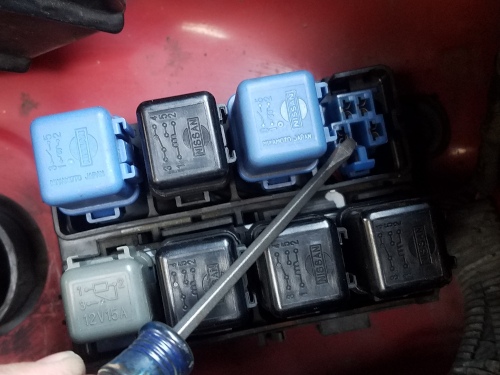
Cover it back up, and reinstall anything you removed to access it
Next we'll head to the part of the harness right next to the battery to find the fog light harness connector.
You'll definitely need to take the battery out to find it:
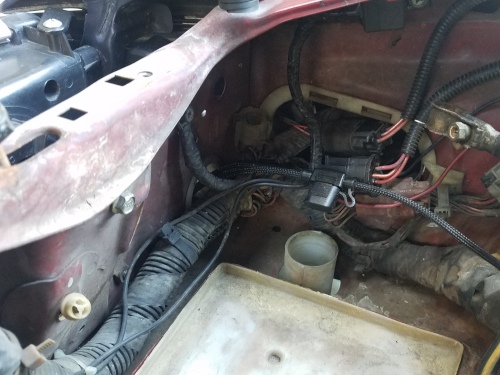
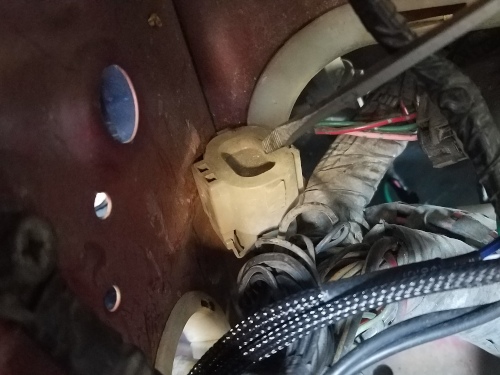
I found mine tucked under the harness by the corner plugged with a cover. It's a really short branch off the harness so you can't pull it out very far:
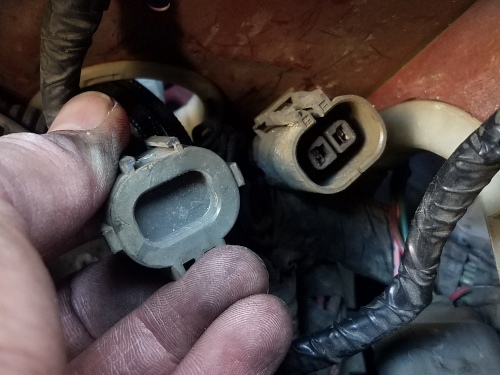
If you want to make your own sub harness, Wiring Specialties has a connector that matches:
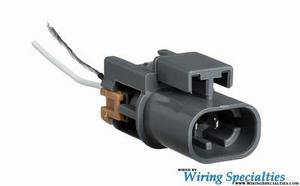
>>
S13 SR20 Knock Sensor Connector (Sensor side)
Pins on the harness-side connector:
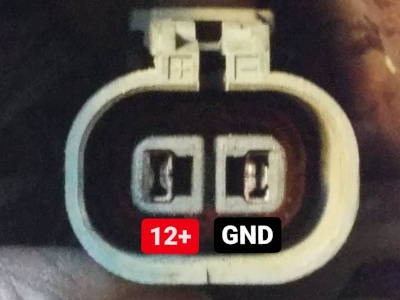
When you have your sub-harness made accordingly, connect it to whatever you're trying to power and that should be that!
The only downside with using the factory circuit is that the low beams need to be ON for the button to turn anything on/off--no headlights, no fog lights
I was hoping I could turn them on with the at least the parking lights, and off when I'm not using any lights, but it's not wired that way unfortunately. If that's a circuit you can work with, there you have it